How to Order Repeat Prescriptions Without Visiting Your GP
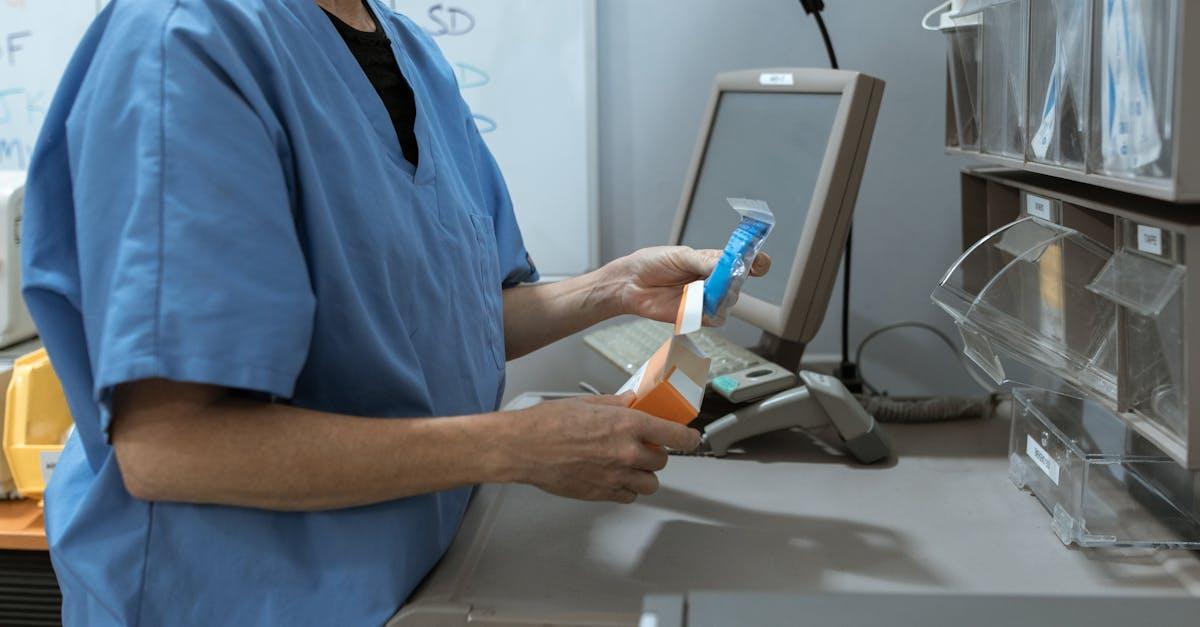
If you take regular medication, ordering repeat prescriptions doesn't have to mean phoning the GP surgery, waiting on hold, or making a trip in person. There are several straightforward ways to order repeat prescriptions without visiting your GP—and most of them work from your phone or computer. Whether you prefer technology or a more personal touch, there's an option that suits you. Here's what Wakefield patients need to know.
What Is a Repeat Prescription?
A repeat prescription is a standing instruction from your GP that lets you request the same medication again and again without needing a new consultation each time. It's used for medications you take long-term—blood pressure medicine, cholesterol tablets, asthma inhalers, diabetes medication, or similar—where the dose and type stay the same.
Your GP will usually set a repeat prescription with a limit on the number of issues (for example, six or twelve before a medication review is due). Once that limit approaches, your GP will ask you to book a review appointment to check the medication is still right for you. This is standard practice and helps keep your care safe.
How to Order Your Repeat Prescription
There are five main ways to order, and most don't require you to step foot in a GP surgery.
1. The NHS App
The NHS App is probably the easiest route if you have a smartphone. Once you've set up an account:
- Open the app and tap Prescriptions
- Select the medicines you need from your repeat list
- Check your nominated pharmacy is correct
- Submit the request
The GP surgery gets the request, processes it (usually within one to three working days), and sends the prescription electronically to your pharmacy. You don't have to phone anyone. The whole thing is free and available 24/7—handy if you realise on a Sunday evening that you're running low.
If you haven't nominated a pharmacy yet, the NHS App makes that simple. Read our guide to managing prescriptions through the NHS App for step-by-step help.
2. Your GP Surgery's Online Portal
Many GP practices in Wakefield use their own online ordering systems—platforms like Patient Access or SystmOnline. They work much the same as the NHS App:
- Log in with your credentials
- Select the medicines you need
- Submit
The surgery then processes and sends the prescription electronically to your nominated pharmacy. If you haven't registered for online access yet, ask at the GP reception desk or check the surgery website. It usually takes a few minutes to set up.
3. Ask Your Pharmacy to Order It for You
This is where Kingfisher comes in. If you find the technology a bit much, or simply prefer speaking to someone you know, you can ask us to request your repeat prescription on your behalf. Just let us know which medicines you need—call, pop in, or mention it when you're next collecting something.
We'll send the request to your GP, and once they approve it and send it through electronically, we'll prepare it for you. Many of our regular Wakefield patients use this service because it's straightforward and personal. Learn more about nominating Kingfisher as your pharmacy.
4. Phone Your GP Surgery
Yes, you can still phone. Most surgeries accept repeat prescription requests by telephone during surgery hours, though you might hit an automated system or need to call a dedicated prescription line. It's slower than the digital options, but it's still a valid route if it works for you.
5. Post or Drop Off a Slip
The traditional method: tick the items you want on the tear-off slip attached to your prescription, and either post it or drop it through the surgery letterbox. Increasingly rare, but it does still work.
Top Tips for Ordering Repeat Prescriptions
Order early. Don't wait until your last tablet is in your hand. Most GPs and pharmacies recommend requesting at least five to seven working days before you need the medication. That gives time for the surgery to process it, for us to prepare it, and for any questions to be sorted.
Keep your medication list current. If your GP has stopped or changed a medication, make sure your repeat prescription record is updated with the surgery. Ordering something that's no longer prescribed wastes time for everyone.
Use a nominated pharmacy. Once you've nominated a pharmacy—which you can do through the NHS App, at the pharmacy desk, or at your GP surgery—your electronic prescriptions go straight there automatically. No more carrying pieces of paper around or worrying about where to take your prescription. Here's how to nominate Kingfisher if you haven't already.
Check your medicines occasionally. It's easy to keep ordering the same things month after month without thinking. But every few months, it's worth looking at your list and asking: am I still taking all of these? Have things changed? If any are no longer relevant, ask your GP to remove them. If you're unsure, your pharmacist can run through your medicines with you during a medication review.
What Happens After You Order?
The process is straightforward:
- You submit your request (through the NHS App, your GP's portal, or via the pharmacy)
- The GP surgery reviews and approves it—usually one to three working days
- The prescription is sent electronically to your nominated pharmacy via the Electronic Prescription Service (EPS)
- Your pharmacy checks stock, prepares the medication, labels it, and gets it ready for collection
- You collect it at your convenience—or at Kingfisher, we can arrange free local delivery if you're within Wakefield
If anything's wrong—the GP flags a concern, a medicine is out of stock, or something else comes up—we'll ring you to let you know.
Frequently Asked Questions
Can I order all my regular medicines at the same time?
Yes, as long as they're all on your repeat prescription list. In fact, ordering everything together is a good idea: it keeps your medicines synchronised, so you collect them all at once each month rather than in dribs and drabs.
What if I need a medicine earlier than normal?
GP surgeries sometimes decline early requests to prevent people stockpiling. If you have a genuine reason—travelling abroad, for instance—mention it when you request. If you're in a real bind, speak to your pharmacist. In certain circumstances, we can arrange an emergency supply while the surgery sorts out a new prescription.
My prescription runs out soon. How long does the whole thing take?
From request to collection is usually one to two weeks if you order sensibly in advance. GPs typically take one to three working days to process; your pharmacy then prepares it within a day or two. But if you leave it until you've run out, you might hit a queue, and things take longer. Order early and you won't have to chase anyone.
Can I order a medicine that's not on my repeat list?
No—you'll need to contact your GP surgery and ask them to add it, usually after a medication review. Repeat prescriptions are only for medicines your GP has actively set up as repeats, to make sure they're still appropriate for you.
Do I have to use the NHS App?
No. The app is convenient, but it's not compulsory. You can use your GP's own portal, phone the surgery, post a slip, or ask your pharmacy to do it for you. Pick whatever works best for you.
What if my pharmacy isn't nominated yet?
You can nominate a pharmacy three ways: through the NHS App (simplest), by asking at the pharmacy reception desk, or by asking your GP surgery to set it up. Once it's done, all your future electronic prescriptions go straight there.
Are there any medicines I can't order as a repeat?
Controlled medicines—like some pain relievers or sleeping tablets—have stricter rules and sometimes can't be set up as automatic repeats. Your GP will tell you if a medicine has limits. Read more about the rules for controlled drug prescriptions.
What if I go on holiday and need my medicines sent somewhere else?
It's possible but needs planning. If you're abroad and run short, speak to your pharmacist or GP as soon as you realise. Sending medicines overseas has rules around it (check the gov.uk guidance on taking medicines abroad). It's much easier to pack carefully before you go and, if you're a Kingfisher patient, let us know you're travelling—we can help.
Making Repeat Prescriptions Simple in Wakefield
If you take regular medication and haven't yet found a way to order that feels easy, try one of the methods above. Most Wakefield patients find the NHS App or their GP's online portal quick once they've tried it. And if that's not your style, pop into Kingfisher Pharmacy on Kirkgate, give us a ring, or ask the next time you're in. We're here to help.
Learn how to manage multiple prescriptions if you take several medicines, or find out how your pharmacist and GP work together to understand the bigger picture.
Kingfisher Pharmacy, 192 Kirkgate, Wakefield, WF1 1UE. Call 01924 291898.